A decimal counter for Bricks Builder
Bricks Builder's counter element is built for integers — its animation parses values with parseInt. Here's a small custom element I wrote for decimal counts, plus a tour of BricksFunction and BricksIntersect, the two Bricks utilities any custom element should be using.
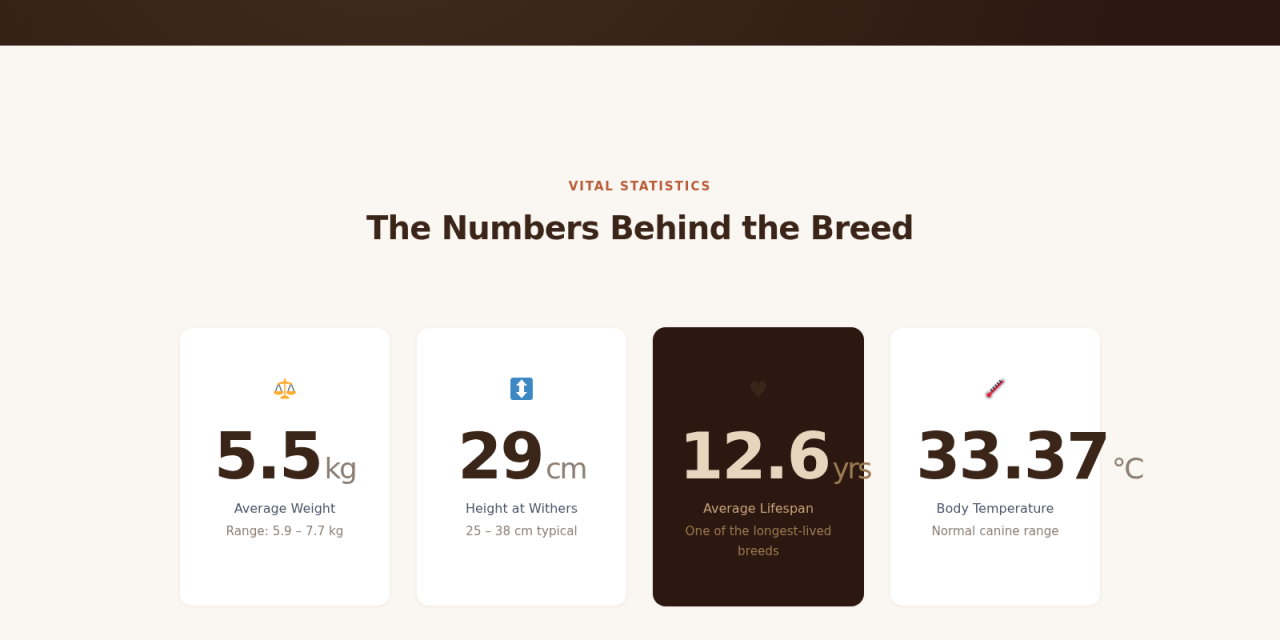
The decimal counter, running on demo.bytflow.com.
The bug that wasn't a bug
In July 2023 someone posted this on the Bricks forum:
We are using the counter to count the vehicle tech specs. However, the number only appear to show up as a round number even if we enter 4.2s in etc.
It reads like a small problem. A car spec page wants to say 0–100 in 4.2 seconds. The Bricks counter renders it as 4 — the element ships as an integer counter, and the team confirmed on the thread that decimal support would need a feature request.
That feature request exists. It has been open for a while.
Meanwhile, this comes up in client work constantly. Conversion rates (12.5%), response times (1.8s), prices ($49.99), ratings (4.7/5) — none of them are integers. So I built a custom Bricks element that counts to 4.7 instead of 4, packaged it as a free plugin, and now I drop it into any Bricks build that needs it.
What follows is a tour of how it actually works. Once you want a custom element to play nicely with popups, AJAX pagination, and the builder canvas, the Bricks core source ends up being the best reference — most of what's below comes from reading how Bricks' own native elements do it.
The plugin shape
The whole plugin is four files: a main loader, one element folder with element.php and script.js, plus a readme. The loader auto-registers every element it finds under elements/:
add_action( 'init', function () {
  if ( ! defined( 'BRICKS_VERSION' ) ) return;

  $element_files = glob( BYTFLOW_BRICKS_PATH . 'elements/*/element.php' );

  if ( $element_files ) {
    foreach ( $element_files as $element_file ) {
      \Bricks\Elements::register_element( $element_file );
    }
  }
}, 11 );
Priority 11 matters — Bricks registers its own elements at the default 10, and yours need to come after. The auto-discovery means adding a second element later is just dropping a new folder, no loader edits.
A tiny bricks/builder/i18n filter adds a "Bytflow" tab to the element panel so the custom elements have a clean home next to Layout, Basic, Single, etc.
The element
class Bytflow_Decimal_Counter extends \Bricks\Element {
  public $category = 'bytflow';
  public $name     = 'decimal-counter';
  public $icon     = 'ti-dashboard';
  public $scripts  = [ 'bricksDecimalCounter' ];

  public function get_label() {
    return esc_html__( 'Decimal Counter', 'bytflow-bricks' );
  }

  public function set_controls() {
    $this->controls['countFrom'] = [
      'tab'         => 'content',
      'label'       => esc_html__( 'Count from', 'bytflow-bricks' ),
      'type'        => 'text',
      'inline'      => true,
      'placeholder' => '0',
    ];
    $this->controls['countTo'] = [
      'tab'         => 'content',
      'label'       => esc_html__( 'Count to', 'bytflow-bricks' ),
      'type'        => 'text',
      'inline'      => true,
      'default'     => '99.99',
    ];
    $this->controls['decimalPlaces'] = [   // <- new control
      'tab' => 'content', 'type' => 'number',
      'label' => esc_html__( 'Decimal places', 'bytflow-bricks' ),
      'min' => 0, 'max' => 10, 'default' => 2,
    ];
    // …duration, typography, prefix, suffix, thousands separator, decimal separator
  }
}
The PHP side here is mostly a clone of the native counter's set_controls(), plus one new decimalPlaces field. The real bug doesn't live in PHP — both the native counter and this one already use 'type' => 'text' on the count fields, and the values reach the renderer intact. The fix is to run them through floatval() instead of letting them stringify into the JSON payload, then do the actual float-aware work in JS (next section). The new decimalPlaces control just tells the formatter how many digits to keep.
render() — pass settings to JS as JSON
public function render() {
  $s = $this->settings;
  $count_from     = ! empty( $s['countFrom'] )
                    ? floatval( $this->render_dynamic_data( $s['countFrom'] ) ) : 0;
  $count_to       = ! empty( $s['countTo'] )
                    ? floatval( $this->render_dynamic_data( $s['countTo'] ) ) : 99.99;
  $duration       = ! empty( $s['duration'] )
                    ? intval( $this->render_dynamic_data( $s['duration'] ) ) : 1000;
  $decimal_places = isset( $s['decimalPlaces'] ) ? intval( $s['decimalPlaces'] ) : 2;
  $decimal_sep    = ! empty( $s['decimalSeparator'] ) ? sanitize_text_field( $s['decimalSeparator'] ) : '.';

  $this->set_attribute( '_root', 'data-decimal-counter-options', wp_json_encode( [
    'countFrom'     => $count_from,
    'countTo'       => $count_to,
    'duration'      => $duration,
    'decimalPlaces' => $decimal_places,
    'thousands'     => $s['thousandSeparator'] ?? '',
    'separator'     => $s['separatorText']     ?? '',
    'decimalSep'    => $decimal_sep,
  ] ) );

  echo "<div {$this->render_attributes( '_root' )}>";
  if ( ! empty( $s['prefix'] ) ) {
    echo '<span class="prefix">' . esc_html( $s['prefix'] ) . '</span>';
  }
  echo '<span class="count">'
     . esc_html( number_format( $count_from, $decimal_places, $decimal_sep, '' ) )
     . '</span>';
  if ( ! empty( $s['suffix'] ) ) {
    echo '<span class="suffix">' . esc_html( $s['suffix'] ) . '</span>';
  }
  echo '</div>';
}
Two things worth pointing out. The static fallback inside .count is the starting value formatted with the right decimal places — so users with JS disabled (or before the JS has had a chance to run) see the start value rendered cleanly, not blank. And every text input goes through render_dynamic_data() so you can drop a Bricks dynamic data tag like {post_meta:rating} straight into the Count to field and pull values from custom fields.
JS — where the actual fix lives
Two things happen here. First, the decimal fix: the native counter's animation in frontend.js parses values with parseInt (around line 4305 in 2.0), which is exactly right for the integer use case it was built for — but it does round 4.2 to 4. The custom element runs its own animation with toFixed(decimalPlaces) so the float survives every frame.
Second, the element leans on two Bricks utilities that core already exposes for exactly this kind of element. Reading how the native counter uses them is the quickest way to see what they expect:
BricksFunction— wraps the init logic and re-runs it on a list of subscribed events.BricksIntersect— IntersectionObserver wrapper that respects Bricks' own per-element threshold.
var bricksDecimalCounterFn = null;

function bricksDecimalCounterInit() {
  if ( bricksDecimalCounterFn ) return;
  if ( typeof BricksFunction === 'undefined' ) return;

  bricksDecimalCounterFn = new BricksFunction( {
    parentNode: document,
    selector:   '.brxe-decimal-counter',

    subscribeEvents: [
      'bricks/popup/open',
      'bricks/ajax/pagination/completed',
      'bricks/ajax/load_page/completed',
      'bricks/ajax/query_result/displayed',
    ],

    forceReinit: function ( element ) {
      return element.closest( '.brx-popup' );
    },

    eachElement: function ( element ) {
      var s = JSON.parse( element.dataset.decimalCounterOptions );
      var countNode = element.querySelector( '.count' );

      function format ( value ) {
        var fixed = value.toFixed( s.decimalPlaces );
        var [ int, dec ] = fixed.split( '.' );
        if ( s.thousands ) {
          int = parseInt( int, 10 ).toLocaleString( 'en-US' )
                  .replace( /,/g, s.separator || ',' );
        }
        return s.decimalPlaces > 0 ? int + s.decimalSep + dec : int;
      }

      function runCounter () {
        var startTime = null;
        var diff = s.countTo - s.countFrom;
        function frame ( now ) {
          if ( ! startTime ) startTime = now;
          var t = Math.min( ( now - startTime ) / s.duration, 1 );
          var eased = 1 - ( 1 - t ) * ( 1 - t );   // ease-out quadratic
          countNode.innerText = format( s.countFrom + diff * eased );
          if ( t < 1 ) requestAnimationFrame( frame );
        }
        requestAnimationFrame( frame );
      }

      // Builder canvas: play immediately. Frontend: scroll-trigger via BricksIntersect.
      if ( document.body.classList.contains( 'bricks-is-builder' ) ) {
        runCounter();
      } else {
        new BricksIntersect( { element: element, callback: runCounter } );
      }
    },
  } );
}
The popup case is the one that catches people out. A counter dropped inside a Bricks popup needs to re-arm every time the popup opens, not just play once on first scroll-in. That's what forceReinit + the bricks/popup/open subscription handle — without them, the counter on a "stats" popup plays the first time and shows stale numbers on every subsequent open.
Frontend init: one extra nudge
One detail that took me a while to figure out. The public $scripts = [ 'bricksDecimalCounter' ] property tells Bricks to call bricksDecimalCounter() in the editor canvas. On the frontend the same property registers the function but the main frontend.js init block doesn't invoke it for custom elements, so the cleanest pattern is to nudge it from the bottom of your own script file:
bricksDecimalCounterInit();

if ( bricksDecimalCounterFn && ! document.body.classList.contains( 'bricks-is-builder' ) ) {
  bricksDecimalCounterFn.addEventListeners();
  bricksDecimalCounter();
}
Three lines, and the element runs everywhere. Took me a while to land on this — sharing here in case it saves anyone else the same hour.
Why it stays a small plugin
The whole plugin is under 500 lines including the JS, registers one element, has no settings page, and the loader is generic enough to register a second element by just dropping a folder. If you build a lot of stat pages or hero stat strips in Bricks, it's worth the install.
Download the plugin → (~7 KB zip, free, no email gate). Drop it in wp-content/plugins/, activate, find Decimal Counter under the Bytflow tab in the Bricks element panel.